JSON Schema is a powerful tool for describing the structure and constraints of your data.1 It’s widely used in api design, data validation, and documentation.2 As systems evolve, so do their data structures, making the ability to effectively compare json schema definitions crucial for maintaining consistency, managing changes, and preventing compatibility issues.
Whether you are looking for a json compare online solution or a local json diff workflow, understanding how a schema comparator works is essential for modern developers.
Why Use a json comparison tool?
Comparing schema files isn’t just a technical exercise; it’s a fundamental practice for robust software development. A dedicated json schema validator or schema comparator identifies exactly what has changed between versions.3
Version Control and Collaboration
In collaborative environments, multiple developers might work on different parts of an api or data model. To compare json effectively helps identify changes, merge work, and resolve conflicts, ensuring everyone is working with the latest and correct schema definitions.4
API Evolution and Compatibility
When you update an api, changes to the json schema can have significant impacts on clients. Using a json compare tool to perform a schema comparison allows you to:
- Identifies breaking changes in nested keys.
- Plan migrations between a source schema and a destination schema.5
- Communicate updates effectively to consumers to maintain backward compatibility.
Data Migration and Transformation
During data migrations from formats like xml or yaml, understanding the json differences is vital. A json diff check helps in mapping fields and ensuring data integrity throughout the process.
Methods and json compare Tools
Several approaches and tools can assist you in finding a schema diff, ranging from manual inspection to automated programmatic solutions.
json compare online Tools
Several web-based platforms offer jsonschema-compare-and-view functionality.6 These are great for a quick json compare without installing software. You can simply paste your source schema and destination schema to see a visual diff.
Text-Based json diff Tools
If you need to compare json files locally, standard text comparison tools highlight line-by-line differences:
- VS Code’s built-in diff viewer: Excellent for schema comparison.
- Beyond Compare: A professional json comparison tool.7
Programmatic schema comparison
For automated workflows, using a json schema validator library is the best approach. Here is a Python example that identifies json differences:
Python
from jsondiff import diff

# source schema
schema_v1 = {
    "type": "object",
    "properties": {
        "name": {"type": "string"},
        "age": {"type": "integer"}
    }
}

# destination schema
schema_v2 = {
    "type": "object",
    "properties": {
        "age": {"type": "integer"},
        "email": {"type": "string"}
    }
}

# Perform json diff
differences = diff(schema_v1, schema_v2, syntax='symmetric')
print(differences)
Challenges in schema comparison
To compare two json documents or schemas isn’t always straightforward due to their flexible nature:
- Order Insensitivity: json compare results can be cluttered if the tool doesn’t realize that property order in an object doesn’t matter.
- Nested Keys: Deeply nested structures require a json compare tool that can recurse through the data.8
- External References ($ref): A true schema comparator must resolve external links to find the actual json differences.
- Format Differences: Comparing json against yaml or xml versions of the same schema requires a specialized json schema validator.
Best Practices for an Effective schema diff
| Practice | Description |
| Normalize Schemas | Sort nested keys alphabetically before you compare json to reduce “noise.” |
| Use Version Control | Store all schema files in Git to track how the json schema evolves. |
| Automate | Integrate a json compare tool into your CI/CD pipeline to catch breaking changes. |
| Use a Validator | Always run a json schema validator after a merge to ensure the new schema is still valid. |
Conclusion
Effectively using a schema comparator to compare json schema is a critical skill for anyone working with modern APIs. By leveraging the right json compare tool and understanding the schema comparison process, you can ensure data consistency and manage api evolution gracefully.
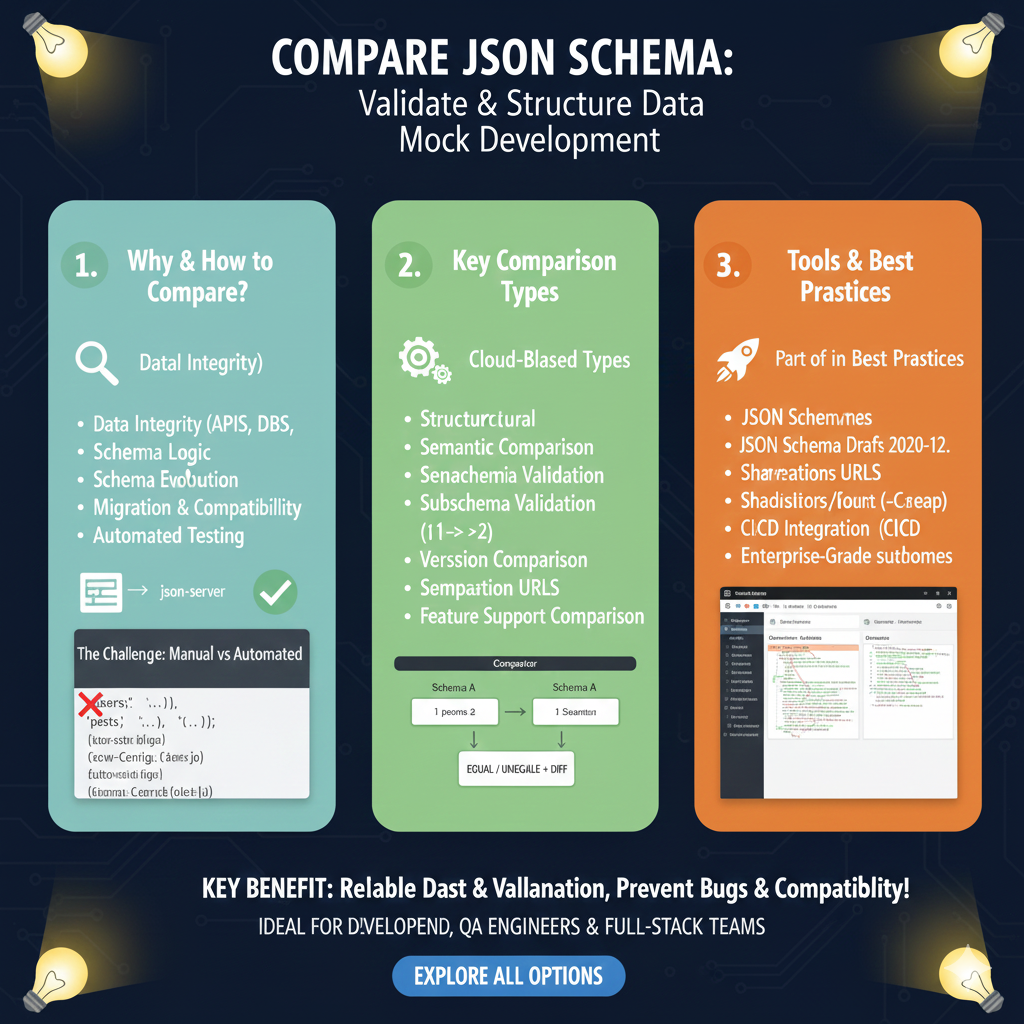
The infographic titled “COMPARE JSON SCHEMA: Validate & Structure Data Mock Development” provides a detailed framework for ensuring data consistency and accuracy across complex development environments.
📐 Mastering JSON Schema Comparison
This guide outlines a three-pillar strategy for validating data structures, identifying logical shifts, and utilizing enterprise-grade tools:
1. Why & How to Compare? (Blue)
This section addresses the foundational need for structural oversight in modern data systems:
- Data Integrity: Ensures accuracy across APIs and Databases (DBS).
- Evolution Management: Tracks Schema Logic changes and manages Schema Evolution over time.
- Lifecycle Support: Assists in Migration & Compatibility planning and supports Automated Testing workflows.
- The Manual Challenge: Contrasts slow manual checks against automated solutions to avoid errors in complex codebases.
2. Key Comparison Types (Green)
This module explores the different technical methods used to analyze schema differences:
- Structural & Semantic: Compares the physical structure and the underlying logic of the data.
- Validation Depth: Includes Subschema Validation and full Schema Validation checks.
- Versioning: Handles Version Comparison to detect breaking changes between iterations.
- Visual Diff: Illustrates a “Comparator” workflow where two schemas are processed to yield an EQUAL / UNEQUAL + DIFF result.
3. Tools & Best Practices (Orange)
The final pillar recommends industry standards for professional-grade schema management:
- Modern Standards: Support for JSON Schema Drafts 2020-12 and earlier versions.
- Collaboration Features: Utilize Shareable URLs to communicate differences across teams.
- DevOps Integration: Seamlessly connects with CI/CD Integration for automated deployment checks.
- Enterprise Features: Offers high-performance solutions for large-scale Enterprise-Grade projects.
learn for more knowledge
Mykeywordrank-> Search for SEO: The Ultimate Guide to Keyword Research and SEO Site Checkup – keyword rank checker
json web token->jwt react Authentication: How to Secure Your react app with jwt authentication – json web token
json Parser->json parse use: A Developer’s Guide to json parse, json.parse, and parse json strings – json parse
Fake Json –>fake api jwt json server: Create a free fake rest api with jwt authentication – fake api
Leave a Reply