How to Compare Two JSON Files and Get Differences: A Comprehensive Guide
JSON (JavaScript Object Notation) has become the de facto standard for data interchange on the web, used extensively in APIs, configuration files, and data storage. As applications evolve, so does their data, making it crucial to compare different versions of JSON files to identify changes, debug issues, or validate data integrity. But how do you efficiently compare two JSON files and pinpoint their exact differences?
This guide will walk you through various methods, from simple manual checks to powerful programmatic solutions, helping you choose the best approach for your specific needs.
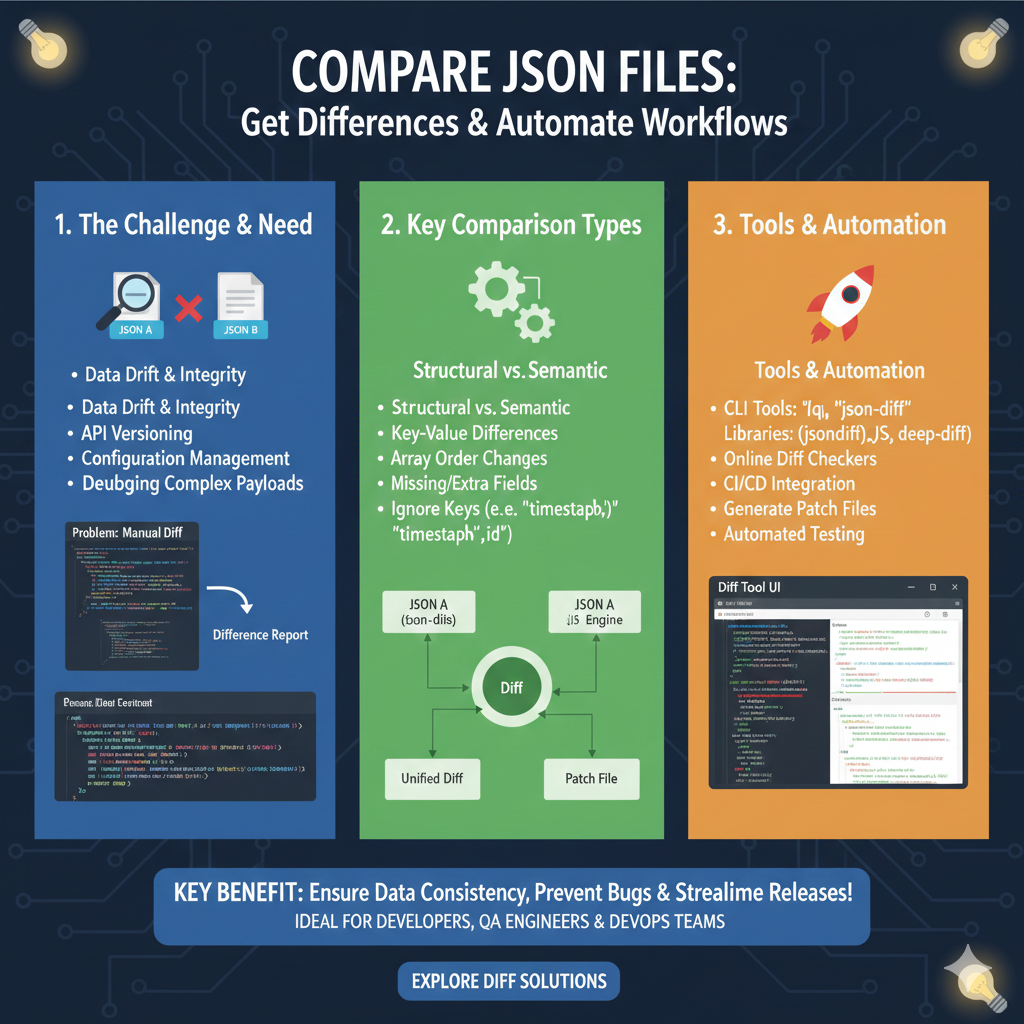
Why is Comparing JSON Files Important?
- Debugging and Troubleshooting: Quickly identify what changed between two API responses or configuration versions that might be causing unexpected behavior.
- Data Validation: Ensure that expected data structures and values remain consistent across different datasets.
- Configuration Management: Track modifications in application settings or deployment configurations.
- API Development: Compare different versions of an API’s output to understand breaking changes or new features.
Methods to Compare JSON Files
1. Manual Inspection (For Small Files)
For very small and simple JSON files, you might be able to visually scan them side-by-side. However, this method is highly prone to errors and impractical for anything beyond a few dozen lines.
2. Online JSON Diff Tools
Several web-based tools offer a quick and easy way to compare two JSON inputs. You simply paste your two JSON strings, and the tool highlights the differences.
- Pros: User-friendly, no setup required, great for quick comparisons.
- Cons: Privacy concerns for sensitive data, limited features, usually no programmatic access.
3. Command-Line Tools (e.g., diff, jq)
While standard diff works well for text files, JSON’s structure can sometimes make its output noisy. Tools like jq can help normalize JSON before diffing, or specialized diff tools can provide more structured output.
# Basic diff after pretty-printing with jq (not perfect for structural diffs)
diff <(jq -S . file1.json) <(jq -S . file2.json)
4. Programmatic Comparison (Python)
Python is an excellent choice for automating JSON comparisons due to its robust standard library and rich ecosystem of third-party packages. Here’s how you can do it:
Using Python’s json Module
A simple approach involves loading both JSONs and performing a deep comparison. For a more sophisticated diff, you might need to write custom logic or use a library.
import json

def compare_json(json1_path, json2_path):
    with open(json1_path, 'r') as f1, open(json2_path, 'r') as f2:
        data1 = json.load(f1)
        data2 = json.load(f2)

    if data1 == data2:
        print("JSON files are identical.")
    else:
        print("JSON files are different.")
        # For a deeper dive, you'd need a more complex recursive comparison function
        # or a dedicated library like 'jsondiffpatch' or 'jsondiff'.

# Example usage:
# Create dummy files for demonstration
with open('file1.json', 'w') as f:
    f.write('{"name": "Alice", "age": 30, "city": "New York"}')
with open('file2.json', 'w') as f:
    f.write('{"name": "Alice", "age": 31, "city": "London"}')

compare_json('file1.json', 'file2.json')
Using the jsondiff Library
The jsondiff library provides a more powerful and human-readable way to find differences. First, install it: pip install jsondiff.
import json
from jsondiff import diff

def compare_json_with_library(json1_path, json2_path):
    with open(json1_path, 'r') as f1, open(json2_path, 'r') as f2:
        data1 = json.load(f1)
        data2 = json.load(f2)

    differences = diff(data1, data2)

    if not differences:
        print("JSON files are identical.")
    else:
        print("Differences found:")
        print(json.dumps(differences, indent=2))

# Example usage:
# Assuming file1.json and file2.json are created from the previous example
compare_json_with_library('file1.json', 'file2.json')

# Expected output with jsondiff:
# Differences found:
# {
#   "age": [
#     30,
#     31
#   ],
#   "city": [
#     "New York",
#     "London"
#   ]
# }
5. Programmatic Comparison (JavaScript/Node.js)
For front-end developers or Node.js backend users, JavaScript offers similar capabilities.
Using JSON.stringify() for Basic Comparison
While simple, this only works if the order of keys is identical and values are strictly equal. It’s often insufficient for real-world JSON differences.
const fs = require('fs');

function compareJsonStrings(path1, path2) {
    const data1 = JSON.parse(fs.readFileSync(path1, 'utf8'));
    const data2 = JSON.parse(fs.readFileSync(path2, 'utf8'));

    // A naive comparison that doesn't account for key order or deep structural differences
    if (JSON.stringify(data1) === JSON.stringify(data2)) {
        console.log("JSON files are identical (stringified).");
    } else {
        console.log("JSON files are different (stringified).");
    }
}

// Example usage:
// (Create dummy files if needed)
// fs.writeFileSync('js_file1.json', '{"name": "Bob", "age": 25}');
// fs.writeFileSync('js_file2.json', '{"name": "Bob", "age": 26}');
// compareJsonStrings('js_file1.json', 'js_file2.json');
Using a Library like deep-diff or json-diff
For robust JSON comparison in JavaScript, libraries are indispensable. Install deep-diff: npm install deep-diff.
const fs = require('fs');
const diff = require('deep-diff').diff; // or similar for 'json-diff'

function compareJsonWithDeepDiff(path1, path2) {
    const data1 = JSON.parse(fs.readFileSync(path1, 'utf8'));
    const data2 = JSON.parse(fs.readFileSync(path2, 'utf8'));

    const differences = diff(data1, data2);

    if (!differences) {
        console.log("JSON files are identical.");
    } else {
        console.log("Differences found:");
        console.log(JSON.stringify(differences, null, 2));
    }
}

// Example usage:
// (Assuming js_file1.json and js_file2.json exist from previous example)
// compareJsonWithDeepDiff('js_file1.json', 'js_file2.json');

// Expected output with deep-diff:
// Differences found:
// [
//   {
//     "kind": "E",
//     "path": [
//       "age"
//     ],
//     "lhs": 25,
//     "rhs": 26
//   }
// ]
Choosing the Right Comparison Method
- For quick, ad-hoc checks of non-sensitive data: Online JSON diff tools.
- For small, structured changes in version control: Command-line tools like
diffcombined withjq. - For automated scripts, data validation, or complex comparisons: Programmatic solutions using Python (
jsondiff) or JavaScript (deep-diff).
Conclusion
Effectively comparing JSON files is a fundamental skill for developers and data analysts. Whether you’re debugging, validating, or managing configurations, choosing the right tool and method can save you significant time and prevent errors. Python and JavaScript libraries provide the most flexible and powerful solutions for deep, structural comparisons, making them invaluable for robust data management workflows.
learn for more knowledge
Mykeywordrank-> Search for SEO: The Ultimate Guide to Keyword Research and SEO Site Checkup – keyword rank checker
json web token->jwt react Authentication: How to Secure Your react app with jwt authentication – json web token
Json Parser ->How to Effectively Use a JSON Parser API: A Comprehensive Guide – json parse
Fake Json –>fake api jwt json server: Create a free fake rest api with jwt authentication – fake api
Leave a Reply